
Bookworm
Bookworm







Bookworm
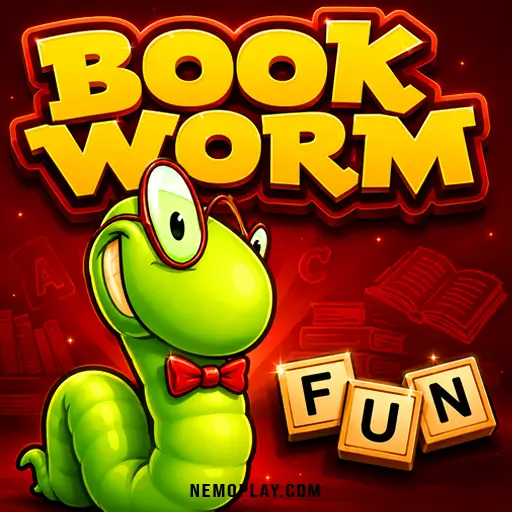
ShareCreate English words by linking adjacent letter tiles in Bookworm, then clear them before the board gets crowded. Each word removes used letters and rewards longer chains, so every choice affects the board’s safety and your score. Special tiles and bonus words add pressure and give you a reason to aim beyond the shortest valid match. The red burning tiles raise the stakes, because if they reach the bottom, the round ends.
Bookworm Quick Facts
| Developer | PopCap Games |
| Publishing Date | 2003 |
| Main Genre | Word |
| Sub-Genre | Puzzle |
| Platform | Web Browser |
| Input Method | Mouse; on-screen controls on touch devices |
| Multiplayer Mode | Single-player |
| Content Rating | Everyone |
| Tech Stack | Flash (emulated) |
| Primary Language | English |
| Installation Required | No (Instant Play) |
What to Know Before Playing Bookworm
Link adjacent letter tiles to make valid English words and earn points. Each word clears tiles from the board, so the main goal is to keep finding words that make space while building a higher score.
What makes this word puzzle different is the pressure from red burning tiles, the bonus points from special tiles, and the extra reward for longer words. It also uses a library theme, with Lex helping to feed on the words you form, which gives the game a clear target instead of just a plain word grid.
It suits kids who like spelling games where every new word changes the board and can decide how long the round lasts.
Bookworm Gameplay & Mechanics
Pick letters that sit next to each other, then submit the word so the selected tiles disappear and new ones drop in. Because the board changes after every word, you keep choosing between making a quick valid word now or waiting to build a longer one for a bigger score.
Longer words matter because they score more points and can help reduce the number of red burning tiles that appear. Special tiles can boost the value of a word even more, so using them at the right moment can turn an ordinary move into a much stronger one.
If the board gets stuck, Lex can scramble the tiles to create fresh options, but that choice lowers your score. The round ends if a burning tile reaches the bottom, so every turn is a race between clearing danger, finding better words, and keeping enough space open for the next move.
Browser & Device Support for Bookworm
You can play this game directly in your web browser on desktop, laptop, tablet, or mobile.
Bookworm Beginner Walkthrough
Start by looking at the letter board and finding a valid word you can make from tiles that touch each other. Your first choice should be a word you can spot quickly, because that clears space and gives you a safe way to begin before the board becomes crowded.
- Look for a short word you can build right away.
- Choose letters that open up more room for the next move.
- Watch for any red burning tiles and make them part of a word early.
- After the board changes, pick the next word that helps you stay in control.
After your first word, keep scanning for the next best match instead of waiting too long. The main goal in the opening session is simple: keep the board usable, use the dangerous tiles before they drop too low, and keep making words that let you continue the round.
How to Control Bookworm
Use the mouse on desktop.
- Click adjacent letter tiles to select them.
- Drag across adjacent letters to connect them.
- Click the submit button to confirm a word.
- Click Lex to scramble the board.
Mobile and tablet players use the on-screen controls provided by the hosted game.
Improve Your Bookworm Skills
Choose words with care, because the score changes with length, rare letters, and reward tiles. A longer word can give you more points and also help keep the board safer, so it is often worth waiting for a stronger match instead of taking the first one you see.
- Look for long words first, since they score higher and can reduce the number of burning tiles that appear.
- Try to use rare letters when you can, because the letter value adds to your score.
- Build words that include green, gold, diamond, or sapphire tiles to raise the points from a single move.
- Watch for burning tiles and make them part of a word before they sink too low, or the round can end.
- Use the scramble option only when you are stuck, because it opens new choices but costs points.
- Practice spotting word endings like ing, er, ed, and tion, since they can help you turn a short word into a bigger one.
- If you can see a bonus word, aim for it, because it adds extra points and can lift your total faster.
Bookworm Feature Overview
This word puzzle includes several built-in systems that change how each round plays out. Some add points, some raise the risk of failure, and some give you a way to reset the board when the letters stop helping.
- Special tile types: Green, gold, sapphire, and diamond tiles can appear during play, and each one boosts the score from the word it is used in.
- Burning tiles: Red tiles move downward over time, and if one reaches the bottom, the round ends. This turns board space into a permanent risk.
- Bonus words: Extra target words appear after the early rounds, giving you another scoring goal beyond the letters already on the grid.
- Score factors: Word length, rare letters, special tiles, and the current level all affect the points earned, so each move can be worth very different amounts.
- Scramble option: Lex can reshuffle the letter layout when the board runs dry, which gives you fresh word choices but lowers your total score.
Bookworm Review for New Players
Bookworm stands out as a word puzzle that turns each move into a small risk calculation: longer, rarer words score better, but letting red burning tiles sink too low can end the session fast. That mix of vocabulary building, board control, and score chasing gives the game a clear identity without adding clutter.
Its strongest design choice is how the special tiles change the value of a single word, especially when green, gold, sapphire, or diamond tiles are used together. The downside is that the scramble option can feel expensive when the board stops cooperating, and the absence of a timed pressure means some sessions lean more toward careful scanning than constant momentum.
For new players, the game is most satisfying when the board offers room to plan around letter rarity and tile bonuses, because that is where its scoring system feels smartest. It is less forgiving when the letter layout dries up, since the scramble cost and the burning-tile threat can make a small mistake snowball into a much weaker round.
Who Should Play Bookworm?
Bookworm suits word-game players who like pausing to scan the board, then choosing the strongest word instead of the fastest one. If you enjoy spotting longer spellings, rare letters, and special tile combinations before committing, this is a good match, because each move changes both your score and the board layout.
It works well for a calm, focused session where you want to think through every turn rather than race a timer. The main caveat is that the scramble option is useful but costly, so getting stuck can trim your score fast if you rely on it too often.
Games to Try After Bookworm
If you liked Bookworm for its word-building pressure and quick decision-making, these picks keep the same mix of pattern spotting, planning, and fast responses in different formats.
- Bloxorz — Slide blocks with care and plan each move ahead, since one wrong step can send you back and force a fresh route.
- Block Blast — Place pieces to clear space and keep the board open, which rewards smart positioning instead of rushed moves.
- Mini Crossword — Solve short clues under a compact format that keeps the word focus tight and makes each correct answer feel deliberate.
For more picks in this style, browse our Puzzle Games.
FAQs about Bookworm
Can I use a red burning tile in a word?
Yes. If a red burning tile is part of a valid word, it gets cleared and stops moving downward, which helps prevent a round-ending mistake.
What happens when I use Lex to shuffle the board?
It costs points. The shuffle gives you a fresh letter layout, but the score drops, so it is best saved for moments when you cannot spot a useful word.
How do gold tiles appear?
They appear after you make a word with five or more letters. That makes longer words especially valuable because they can unlock stronger scoring tiles.
Do all special tiles score the same way?
No. Different special tiles give different point boosts, and using more than one in a word can raise the score even more.
Are there bonus words to find later in the game?
Yes. Bonus words can show up after the early rounds, and finding them gives extra points, so they are worth checking for when the board has room.
Bookworm Review Summary
Bookworm is a smart pick for kids and adults who like word games that reward careful thinking. The tile-matching setup gives every move a purpose, and it is worth a click if you enjoy building words while keeping an eye on the board’s danger spots.
Expect a calm but tense session where one good word can change the whole round, and one missed chance can push you closer to the end. If that sounds like your kind of puzzle, it is easy to play right here on our site and see how far your vocabulary can carry you.