
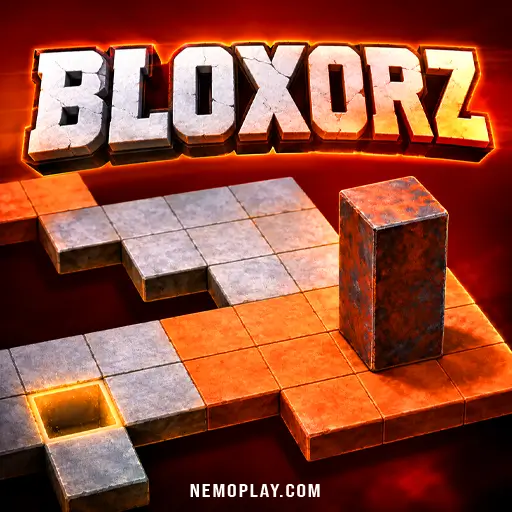
Bloxorz
Bloxorz








Bloxorz
ShareGuide the block into the square hole in Bloxorz, and every move matters because one wrong roll can send it off the edge. You’ll keep planning the next turn, using switches and narrow paths to open a safe route through each stage. What sets it apart is the block’s changing shape as it tips, slides, and lands, so simple-looking puzzles quickly demand careful spatial thinking.
Bloxorz Quick Facts
| Developer | Damien Clarke |
| Publishing Date | 2007 |
| Main Genre | Strategy |
| Sub-Genre | Figure It Out |
| Platform | Web Browser |
| Input Method | Arrow keys; on-screen controls on touch devices |
| Multiplayer Mode | Single-player |
| Primary Language | English |
| Installation Required | No (Instant Play) |
What Is Bloxorz?
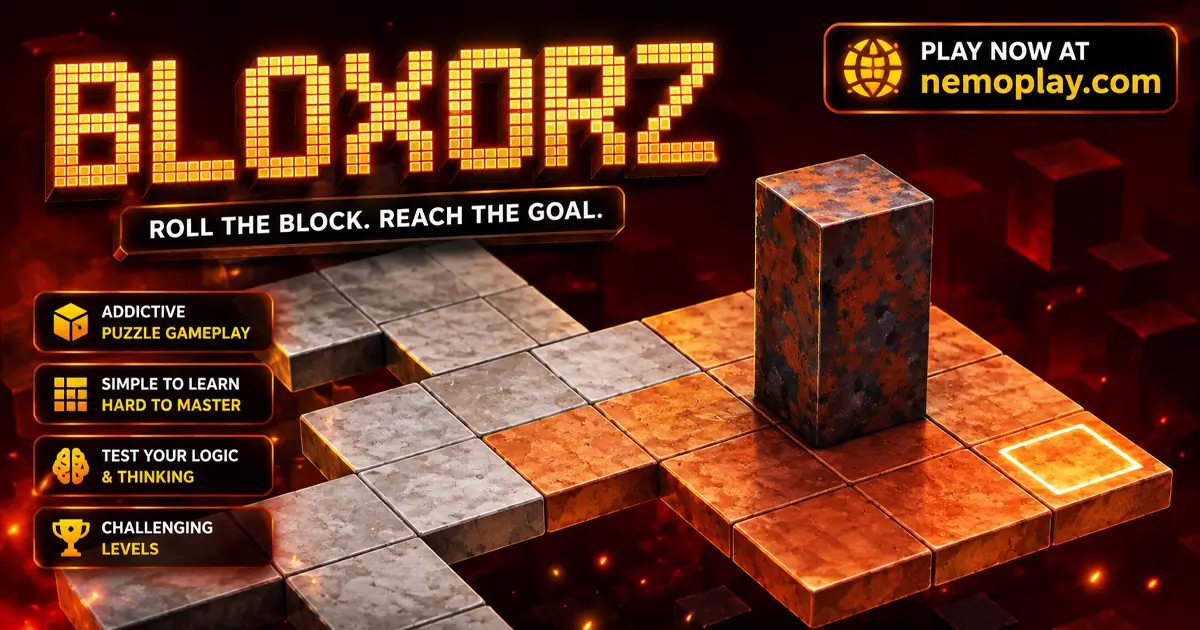
The objective is to roll a rectangular block into the square hole at the end of each stage. You guide it across floating platforms, and the shape of the block changes as it tips, so every move affects where it can land next.
It stands out because many stages add switches, bridges, fragile orange tiles, and a split-block puzzle that changes how you reach the goal. That mix makes it a good choice if you like solving space puzzles where each step has a clear result.
How Bloxorz Plays Differently
You move the block one step at a time, and the game answers by changing how it rests on the tiles, which can help it press a soft switch, stand upright for a hard switch, or tumble into a fragile orange tile and break through. That means each move is also a shape choice, so you have to decide whether to stay flat, stand tall, or set up a later split-block move that lets one piece activate a switch while the other waits for the next path.
When a switch is pressed, bridges may open, close, or stay locked in place, so the next decision is whether to use the new route right away or save the block’s position for later. If the block slips off the platform or lands wrong in the hole, the stage restarts; if you guide the full block into the square goal, the level ends and the puzzle is cleared.
Browser & Device Support for Bloxorz
You can play it directly in your web browser on desktop, laptop, tablet, or mobile.
First Steps in Bloxorz
Start by looking at the shape of the board and the square goal. Your first job is not to rush forward, but to notice where the block can safely stand and which tiles look too narrow or too risky for a first move.
- Begin with a short move that keeps the block on a wide, safe tile.
- Watch how it changes position after that move, because the next step depends on whether it is lying flat or standing tall.
- Head toward the square hole only after you can see a clear path to it.
- If a switch appears early, use it only when it opens a route you can actually follow.
- Your first clear goal is simple: reach the end without sliding off the board.
Bloxorz Input Guide
It uses simple movement keys on desktop, plus on-screen controls on touch devices.
- Arrow keys or WASD: move the block.
- Spacebar: switch between split blocks.
- R key: restart the level.
Mobile and tablet players use the on-screen controls provided by the hosted game.
Bloxorz Tips That Actually Help
Pick moves that keep the block safe on the board, because a fall sends you back to the start of the stage. Use each switch with a purpose, and choose the path that helps you reach the goal with the fewest risky turns.
- Check the tile shape before you roll onto it. Wide spaces let the block stay steady, while narrow spaces can punish a careless turn.
- Use soft switches when any part of the block can press them, but save hard switches for times when the block is standing up. That choice matters because the wrong shape will not trigger the route you need.
- Watch what each switch changes before moving on. If it opens a bridge, closes one, or changes the route again later, plan the next step so you do not trap yourself.
- Treat fragile orange tiles as a no-go spot when the block is upright. Staying flat there keeps the tile from breaking and stops an instant restart.
- When the path splits the block, choose the piece that can help with the next switch, then bring them back together only when the full block is needed at the goal.
- Use level codes to return to a stage you want to practice again. That helps you work on one puzzle without replaying everything before it.
Bloxorz Core Features
It is built around a set of stage features that change how each puzzle works, so a player has to read the board and react to what appears on it.
- 33 hand-built stages — The game gives you a long chain of puzzle boards, and each new stage adds a harder layout instead of repeating the same path.
- Two switch types — Soft circle switches and hard X-shaped switches react differently, so the shape of the block decides whether a route opens at all.
- Bridge systems — Some switches open, close, or hold bridges in place, which changes which parts of the board stay reachable after each move.
- Teleport-and-split tiles — A special tile can move the block and split it into two smaller pieces, creating a different puzzle state that must be handled before the stage can be finished.
- Fragile orange tiles — These tiles can break under the wrong weight, so a standing block can trigger a drop where a flat block would stay safe.
- Stage passcodes — Each level shows a code that lets you return to that stage later, which matters if you want to practice one puzzle again without replaying the whole set.
Bloxorz: Highlights and Limitations
Its biggest strength is how a single rolling block can turn every stage into a careful spatial problem: soft and hard switches react differently, bridges change the map, and the split-block mechanic adds another layer of planning. The result is a puzzle game that rewards patience and exact positioning, but it also asks for steady trial and error because one misplaced roll can undo a lot of progress.
- Clear puzzle logic: Each move has a visible consequence, so success comes from reading the board correctly rather than from guessing.
- Strong mechanical variety: Switches, bridges, fragile tiles, and split blocks keep later stages from feeling mechanically flat.
- Steep difficulty spikes: The same precision that makes the puzzles satisfying can also make some stages feel unforgiving, especially when a single wrong tilt restarts the level.
- Lean presentation: The stripped-back board layout keeps attention on the puzzle, but it offers little distraction or variety outside the main logic challenge.
Who Will Get the Most From Bloxorz?
Bloxorz suits players who enjoy tracing a path several moves ahead and changing plans when a switch alters the board. If you like puzzles where the block’s shape matters as much as the route itself, this one rewards careful thinking and steady, deliberate moves. It works well for short sessions when you want to focus on one board and keep adjusting until the layout finally clicks.
It may not suit players who want quick progress, since a single mistake can restart a stage and some later puzzles become much stricter about positioning. If that kind of reset feels frustrating, the game’s slower pace may be the main thing to consider before you start.
Games to Try After Bloxorz
If you liked the careful planning and step-by-step problem solving in Bloxorz, these puzzle games reward the same kind of deliberate thinking in different ways.
- Block Blast — This is a strong follow-up if you enjoy clearing space through smart placement, since each move changes the board and pushes you to plan ahead.
- Bookworm — Try this if you want a puzzle that keeps you choosing the best next move under pressure, with word-building decisions that shape your score.
- Mini Crossword — A good pick for compact puzzles that ask you to solve clues efficiently, making every answer choice matter.
For more picks in this style, browse our Puzzle Games.
FAQs about Bloxorz
Do all switches react the same way?
No. Soft circle switches react to any part of the block, while hard X-shaped switches only work when the block is standing upright.
What happens if the block stands on an orange tile?
The tile can break, and the block falls through. That means a careful flat landing is safer than standing upright on those fragile spaces.
What are the split-block tiles for?
They divide the block into two smaller pieces and move them to different spots. You can switch between the pieces, but they must come back together before the level can be finished.
Can one switch change more than one bridge?
Yes. A single switch can open, close, or lock bridge sections, so one move can change several paths at once.
What is the level code in the corner for?
It lets you return to that stage later. That is useful when you want to practice one tricky puzzle again without starting over from the beginning.
Our Final Thoughts on Bloxorz
Bloxorz is worth a try if you like calm puzzle games that make you stop and think before each move. Its block-rolling mechanic keeps every decision meaningful, so solving a stage feels satisfying when the path finally lines up.
If you enjoy careful logic and patient problem-solving, this is an easy one to open on our site for a quick brain workout. Expect some restarts, a few “almost had it” moments, and a puzzle that rewards staying focused until the block reaches the hole.