
Suroi
 (1 votes, average: 5.00 out of 5)
 Loading...






Play Suroi online for free and dive into an exciting world of adventure! Join your friends in this colorful, action-packed game where you can explore amazing lands, find hidden treasures, and battle fierce enemies. Create your own character, team up with others, and see who can become the ultimate champion. It’s easy to start playing, and you can enjoy it right from your computer or tablet. Are you ready to embark on a fun-filled journey? Grab your gear and let the adventure begin!
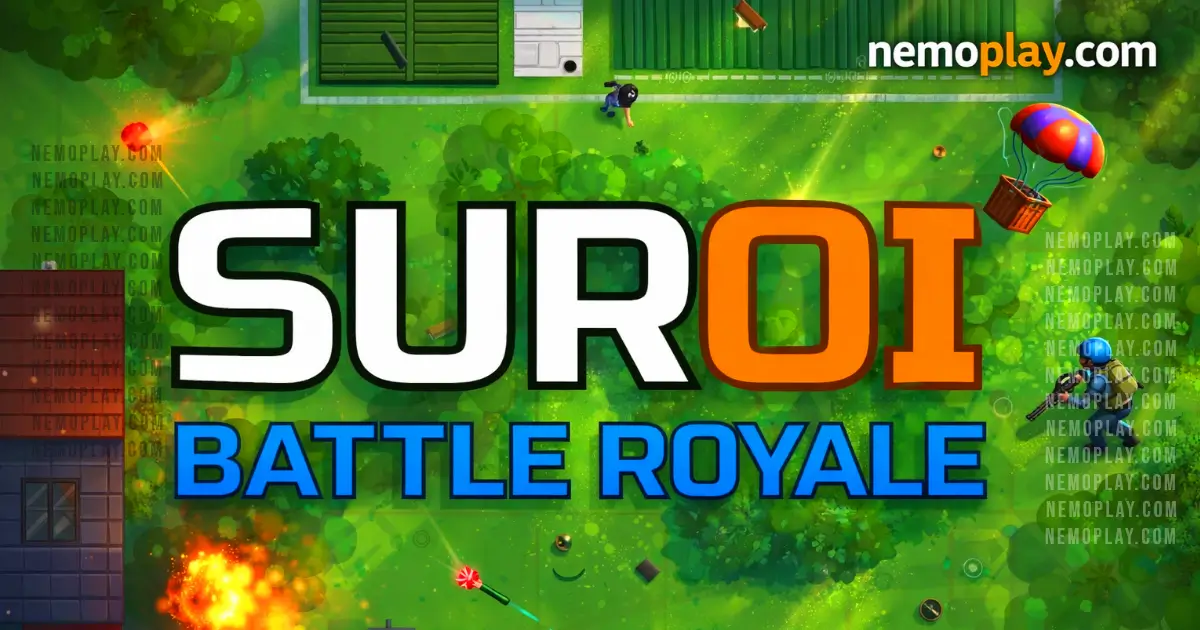
Suroi is an exciting open-source 2D battle royale game where players compete to be the last one standing. Developed by HasangerGames, it’s inspired by the popular game surviv.io. Although still a work in progress, players can already jump into the action and enjoy thrilling battles. The game is designed to be played online, and it’s easy to set up for those who want to try it out on their own computers. With colorful graphics and fast-paced gameplay, it’s perfect for kids who love adventure and strategy games. Join the fun and see if you have what it takes to win!
In this exciting 2D battle royale game, players are dropped onto a large map where they must compete to be the last one standing. The game starts with players parachuting into a random location, and from there, they need to quickly gather resources. These resources include weapons, ammunition, and health packs scattered around the map.
The play area gradually shrinks over time, forcing players into closer proximity and increasing the intensity of encounters. Players must strategically decide when to engage in combat and when to hide or flee. The shrinking safe zone is marked clearly on the map, so it’s important to keep an eye on it to avoid getting caught outside and taking damage.
Weapons range from basic pistols to powerful rifles, each with its own strengths and weaknesses. Players can also find armor to reduce damage taken from enemy attacks. To succeed, players need to make smart decisions about which items to prioritize based on their playstyle and the current situation.
Teamwork is key in multiplayer modes, where players can team up with friends or other online players. Communication and coordination can give teams an edge over solo players or less organized groups.
The game encourages exploration and quick thinking as players navigate through different terrains like forests, towns, and open fields. Each match is a unique adventure where only the savviest and most skilled will emerge victorious!
You can play this game directly in your web browser on desktop, laptop, tablet, or mobile.
Welcome to an exciting adventure where you’ll compete to be the last one standing! Follow these simple steps to start your journey:
Remember, practice makes perfect. Keep playing and you’ll become a pro in no time!
Understanding the controls is crucial for gaining an advantage in this 2D battle royale game. Here’s a comprehensive guide to help you master the gameplay:
Master these controls to enhance your gameplay experience and increase your chances of surviving in the intense battles.
Ready to become a pro at this exciting 2D battle royale game? Here are some awesome tips to help you get started and level up your skills:
bun dev to start the game on your computer. This lets you practice without any interruptions!bun dev:server and bun dev:client together. This helps you understand how the game works from both sides!bun build:client, then start the server with bun start. This will help you get ready for more serious gameplay.With these tips, you’ll be on your way to mastering the game in no time. Happy gaming!
This open-source 2D battle royale game offers exciting features that make it stand out. Here’s what makes it fun:
Experience the thrill of this battle royale game directly in your browser with no downloads required. This browser-adapted version allows you to jump into the action seamlessly on popular browsers such as Chrome, Firefox, Safari, and Edge. Enjoy features like real-time multiplayer battles and intuitive controls, making it easy to engage with players worldwide. Dive into the game and start your adventure today!
Yes, it is free to play online. There are no fees or in-app purchases required to enjoy the game. All games available on the site are completely free, allowing players to dive into the action without any financial commitment. This approach not only makes the game accessible to everyone but also encourages a larger community of players to join and enjoy the experience together. Free play ensures that everyone can participate equally, fostering a more inclusive and engaging gaming environment.
Yes, play Suroi Unblocked on nemoplay.com. Whether you’re at school, at work, or on a break—you can play without any restrictions.
Enjoy seamless access and uninterrupted gameplay directly from your browser. There’s no need for downloads or installations, making it easy to jump into the action anytime, anywhere.
No need to search on GitHub, our version works on all devices at school or work. It is an open-source 2D battle royale game inspired by surviv.io. To get started, install Git and Bun, then clone the repository using the command: git clone https://github.com/HasangerGames/suroi.git. Navigate to the suroi directory and install dependencies with bun install. For local development, use bun dev or separate server and client commands. Visit http://127.0.0.1:3000 to play locally. For production, build the client with bun build:client and start the server with bun start. Refer to the wiki for self-hosting details.
Many fans enjoy downloading it for an even smoother experience. Here’s how:
The Chrome extension offers a convenient way to access the game directly from your browser, providing an instant play experience. This extension enhances accessibility by allowing users to launch the game without navigating to the website manually. Additionally, it may support offline modes, enabling gameplay even when an internet connection is unavailable. While competitors have not specifically mentioned browser extensions, incorporating this feature could set the game apart by offering seamless integration and enhanced user engagement.
If you enjoy playing Suroi, you might also like these similar games:
Yes, it is 100% free to play. You can enjoy the game without any cost.
Yes, you can play it at school if it’s unblocked by the school’s network.
No, it currently does not work on mobile phones. It’s best played on a computer.
No, you do not need to download anything to play. Just visit the website and start playing.
Yes, you can play it on a Chromebook using a web browser.
Yes, it is an open-source game. You can even look at the code online if you’re curious.
You can start playing locally by installing Git and Bun, then following the setup instructions provided online.
Yes, since it’s open-source, you can contribute by accessing its code repository and following contribution guidelines.
Yes, you can self-host by following the detailed instructions available in the wiki for setting up your own server.
No special software is needed. A modern web browser is all you require to start playing.
Suroi is a fantastic 2D battle royale game that brings endless fun and excitement to kids who love action-packed adventures. With its open-source nature, it invites creativity and collaboration among players, making it a unique gaming experience. The simple yet engaging gameplay inspired by surviv.io ensures that kids can easily dive into the action and enjoy thrilling battles.
Encourage your friends to join you in this dynamic world of Suroi, where every match is a new opportunity for adventure and teamwork. It’s easy to jump in and start playing online, so why wait? Gather your friends, form a team, and see who can become the ultimate champion in the vibrant universe of Suroi. Play now and let the fun begin!