
Gunspin


 (3 votes, average: 3.67 out of 5)
 Loading...






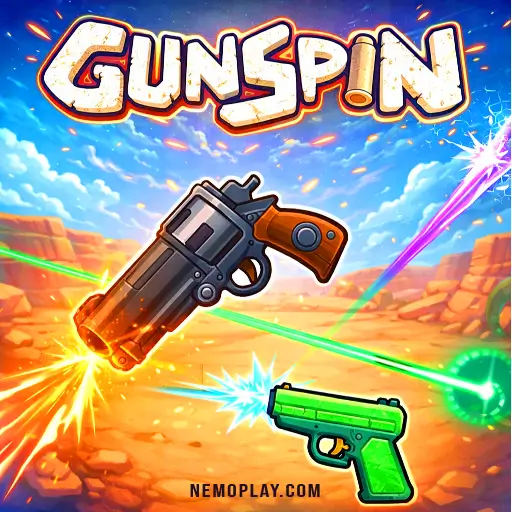
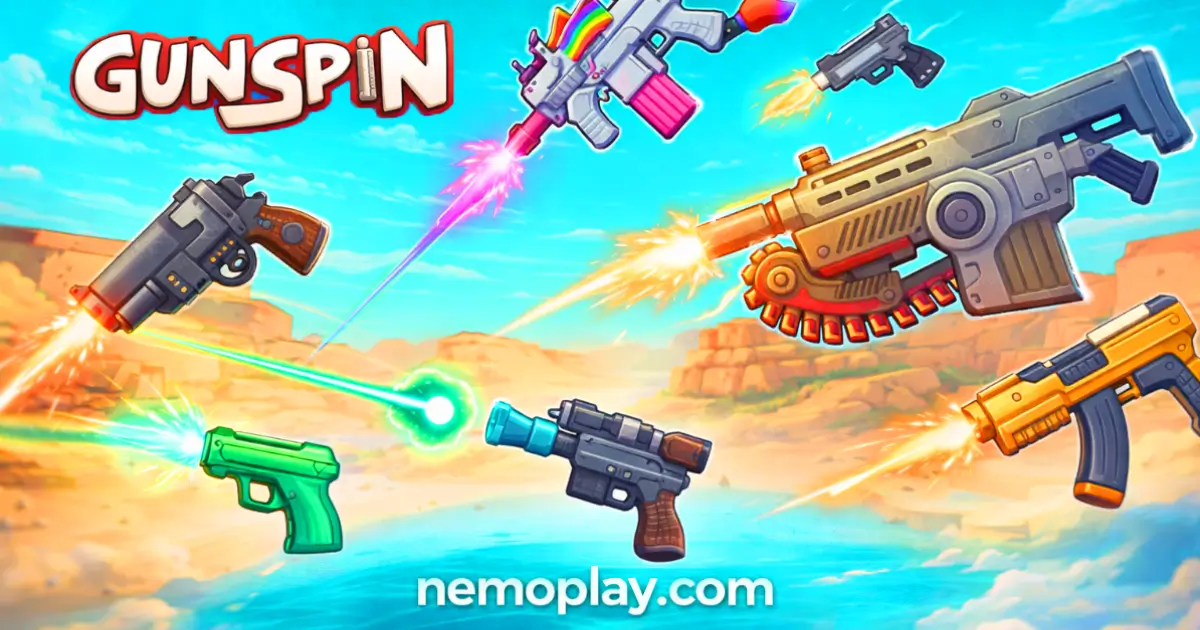
Experience instant fun with Gunspin, a thrilling no-download browser game that lets you play online anytime! This free game offers exciting gameplay for everyone, making it perfect for quick breaks or longer sessions. Enjoy the adventure on Chrome, Safari, and mobile devices, ensuring you can spin and win wherever you are. Dive into this engaging title for an unforgettable gaming experience!
| Specification | Detail |
|---|---|
| Developer | Unknown Developer |
| Publishing Date | 2021-08-15 |
| Main Genre | Action |
| Sub-Genre | Endless, Physics |
| Platform | Web Browser (HTML5) |
| Input Method | Mouse, Touch Screen |
| Multiplayer Mode | Single-player |
| Content Rating | Everyone / ESRB E |
| Tech Stack | HTML5, JavaScript, Canvas |
| Primary Language | English |
| Installation Required | No (Instant Play) |
Gunspin, developed by a talented indie team, was released in 2021. This game has quickly gained popularity among kids and casual gamers alike.
Here are some key facts:
The gameplay is addictive and offers a great way to improve your hand-eye coordination. Players can easily pick it up and start having fun right away. Overall, if you’re looking for a quick and enjoyable game, this one is definitely worth trying out!
To play, start by launching the game. You will see a spinning gun in the center of the screen. Your goal is to keep it spinning as long as possible.
Here’s how to play:
The game is simple but requires practice to master. Keep trying, and you’ll improve your skills!
You can play this game directly in your web browser on desktop, laptop, tablet, or mobile.
Follow these simple steps to become a pro in your game:
Master the controls to excel in the game. Here’s a breakdown of the basic and advanced controls:
Mastering this game requires skill and strategy. Here are some pro tips to help you dominate:
Gunspin offers a variety of exciting features that make it fun and engaging. Here’s what you can expect:
The browser-based version offers a seamless experience for players. This adaptation allows you to enjoy the game directly in your web browser without any downloads. It’s compatible with popular browsers like Chrome, Firefox, Safari, and Edge. Players can easily access the game from school or any other location, making it a convenient choice. Online features include real-time leaderboards and the ability to challenge friends, enhancing competitive play.
Enjoy free online play without any fees or in-app purchases. All games on this site are completely free, allowing you to dive into the action without spending a dime. Competitors highlight several benefits of free play:
Play Gunspin Unblocked on nemoplay.com. Whether you’re at school, at work, or on a break—you can play without any restrictions. This game is HTML5, ensuring it runs smoothly on school Chromebooks and other devices. Enjoy the freedom of accessing your favorite game anytime, anywhere.
Additional benefits include:
No need to search on GitHub, our version works on all devices at school or work. While some competitors may offer their own GitHub repositories, they often require downloads or installations that can be blocked by school networks. Our version is unblocked and free to play directly in your browser, making it the ideal choice for quick gaming sessions without any hassle.
Many fans enjoy playing directly in their browser for an even smoother experience. Here’s how:
The Chrome extension offers several benefits for players. It allows for instant play without needing to navigate to a website. This means you can jump right into the action, especially useful in school settings where access might be limited.
Some competitors mention features like offline modes, which can be a game-changer when you’re not connected to the internet. This flexibility ensures you can enjoy the game anytime, anywhere.
To enhance your gaming experience, consider downloading the Chrome extension. It’s free and easy to install, making it a great addition for any fan of the game.
If you enjoy Gunspin, you’ll love these similar games:
Yes, it is 100% free to play. No download or registration is required.
Yes, you can play it at school. It is often unblocked on school networks.
Yes, it works on mobile devices. You can enjoy it anytime, anywhere!
No, you do not need to download it. You can play directly in your web browser.
Yes, you can play it on a Chromebook. It runs smoothly in the browser.
No, there is no multiplayer mode available. It is a single-player game.
No, you cannot save progress. Each game session starts fresh.
It is suitable for kids and all ages. The game is fun and easy to understand.
No, there is no time limit. You can play at your own pace.
No, there are no ads while playing. Enjoy an uninterrupted experience!
No, character customization is not available. The focus is on gameplay.
No formal tutorial exists. However, the game is easy to learn through practice.
Gunspin is an exciting and engaging game that kids will love. Its simple mechanics make it easy to pick up, while the challenge of mastering spins keeps players coming back for more.
The colorful graphics and fun sound effects create an enjoyable atmosphere, making every play session a blast. Plus, with its competitive edge, kids can challenge their friends to see who can achieve the highest score!
We encourage you to try Gunspin online for free! It’s a fantastic way to have fun and improve your skills. Don’t forget to share it with your friends so you can all enjoy the thrill together!