
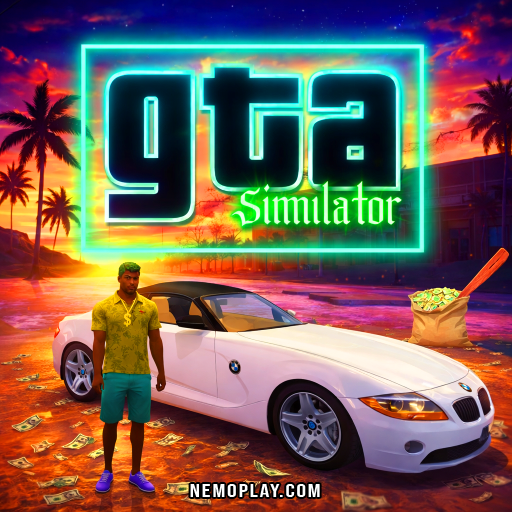
Gta Simulator
Gta Simulator















Gta Simulator
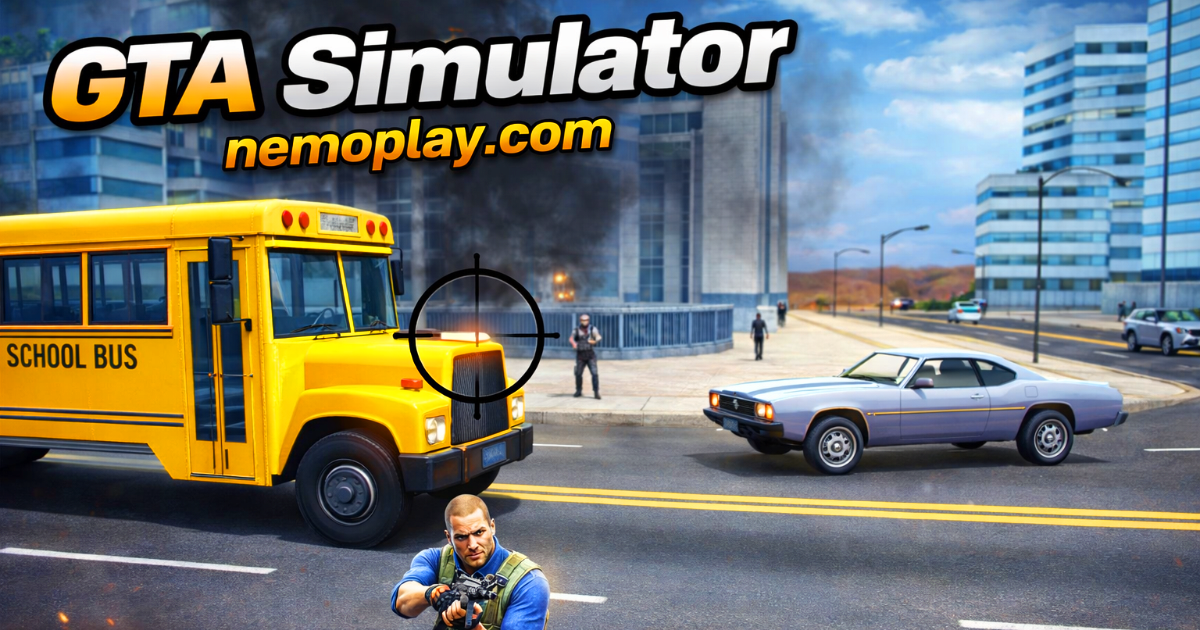
SharePlay Gta Simulator online for free. In this game, you can explore a big city, complete fun missions, and earn cool rewards. Drive fast cars, outsmart the bad guys, and become the hero of your own story. It’s easy to play right in your web browser without needing to download anything. Get ready for a thrilling journey and see how many challenges you can conquer. Are you up for the adventure? Jump in and start playing now!
What Is Gta Simulator?
GTA Simulator is an exciting online game where you can explore a big city, complete missions, and have lots of fun adventures. Created by FreezeNova, it lets you experience the thrill of being in a world full of action and challenges. The game was released for players who love open-world adventures and want to try out different tasks like driving cars, solving problems, and even having some exciting chases!
In this game, you will meet characters like Jackson, who will guide you through various missions. You can drive cars, use different tools, and even improve your skills as you play. It’s a game that helps you think strategically and make smart decisions while having loads of fun.
Remember, this game is full of excitement and sometimes includes intense scenes, so it’s important to be ready for an adventurous ride. If you’re looking for a game that offers endless possibilities in a big city environment, this is the perfect choice!
Gta Simulator Gameplay Mechanics
Welcome to the exciting world of Gta Simulator! In this game, you’ll explore a big city filled with adventures and challenges. Use the W, A, S, and D keys or the arrow keys to move your character around the map. If you want to run faster, hold down the Left Shift key or tap on the running image.
Your adventure begins with a message from your friend Jackson. He needs your help to stop some bad guys trying to take over the island. You’ll find Jackson’s location on a small map in the corner of your screen. Follow the pink exclamation marks on the map to reach your goals!
Along the way, you’ll need to defend yourself. Press the E key to punch or shoot enemies, and use the F key to hop into any car you see on the road. Be careful, though—some drivers might not be so friendly!
As you complete missions, you’ll collect items and earn money. Use these resources wisely to buy guns and bullets by clicking on the grocery cart icon. You can also find hidden secrets around the city, so keep an eye out!
Leveling up is important in this game. As you finish tasks, you’ll gain experience and become stronger. You can improve your health, stamina, defense skills, and even make your car go faster by using power-ups found in the menu.
Remember, strategy is key! Manage your resources carefully and plan your moves to succeed in this thrilling adventure. Have fun exploring and completing missions in this action-packed game!
Play Gta Simulator on Any Device
You can play this game directly in your web browser on desktop, laptop, tablet, or mobile.
How to Play Gta Simulator: A Beginner’s Guide
Welcome to the exciting world of adventure and missions! Here’s a simple guide to help you get started on your journey.
- Your adventure begins with a message from Jackson. He needs your help, and it’s your job to find him using the small map on your screen.
- Once you meet Jackson, he will give you important missions. Your goal is to complete these tasks and help stop the mayor’s plan to sell the island.
- To succeed, you’ll need plenty of tools. You can buy what you need by clicking on the shopping cart icon. Make sure you have enough supplies for your missions!
- Traveling around the island is key. You can use Jackson’s garage to get a car or find one on the road. Be careful, though, because drivers might not be friendly.
- The map will show you where to go next. Look for pink exclamation marks and follow them to reach your destination.
- If you’re unsure where to go, click on the map to set a green marker. This will help guide you as you travel.
- As you complete missions, you’ll level up and become stronger. This will make it easier to tackle new challenges.
- You can also improve your character’s skills like health, defense, and driving by using power-ups. This will help you become even better at completing missions!
Remember, it’s all about having fun and exploring the world while completing tasks. Good luck on your adventure!
Mastering Gta Simulator Controls
To navigate and dominate the world of crime and chaos, familiarize yourself with the following controls:
- W, A, S, D or Arrow Keys: Move around the map.
- Left Shift: Run fast.
- E Key: Punch or shoot.
- F Key: Enter a car.
- Right Mouse Button: Eliminate threats.
- Tap on the Aiming Icon: Punch and kick.
- Tap on the Flying Kick Image: Perform a flying kick.
- Tap on the Fist Icon: Change your weapons.
- Tap on the Grocery Cart Image: Access shopping options.
- ESC Key: Open menu.
Utilize these controls to explore the map, gather items from defeated enemies, and uncover hidden secrets. Manage your resources wisely, including an initial budget and grenades, to succeed in your missions.
Pro Tips to Master Gta Simulator
Ready to become the ultimate hero in this action-packed game? Follow these pro tips to navigate the challenges and rise to the top!
- Master the Controls: Use the WASD or Arrow Keys to move, and Left Shift to run fast. Practice these controls to move swiftly and dodge threats.
- Complete Missions for Rewards: Keep an eye on your map for pink exclamation points, which mark mission locations. Completing missions not only progresses the story but also levels up your character, giving you more power!
- Gear Up Wisely: Click on the grocery cart icon to buy guns and bullets. Always keep your ammo stocked so you’re ready for any challenge.
- Use Vehicles Strategically: You can use Jackson’s garage or commandeer vehicles on the road. Be cautious, as drivers may fight back!
- Enhance Your Skills: Open the power-up screen by clicking on the bar at the top left of the screen. Improve your health, defense, and attack skills as you level up.
- Explore for Secrets: The map is full of hidden secrets. Explore every corner to find valuable items that can aid your journey.
- Plan Your Budget: Manage your resources wisely. With an initial budget, make sure to prioritize essential purchases like weapons and upgrades.
With these tips, you’ll be well on your way to mastering this exciting game. Have fun exploring and completing missions!
Key Features That Make Gta Simulator Special
This game offers a thrilling and immersive experience with unique features that set it apart from the rest. Here are some of the key elements that make it fun and engaging:
- Open World Exploration: Navigate a vast island filled with diverse locations and hidden secrets to uncover.
- Interactive Missions: Complete exciting missions given by characters like Jackson, who guide you through the game’s storyline.
- Dynamic Combat System: Engage in intense battles using a variety of weapons, including guns and knives, and perform actions like punching, kicking, and flying kicks.
- Vehicle Interaction: Drive around the island using different vehicles. You can use Jackson’s garage or commandeer cars you find on the road.
- Character Empowerment: Enhance your character’s abilities such as health, stamina, defense, attack power, and driving skills as you progress through the game.
- Resource Management: Strategically manage your resources like guns, bullets, and grenades to successfully complete missions.
- User-Friendly Controls: Easy-to-use controls with options to move, run, punch, shoot, and more using keyboard keys and on-screen icons.
- Convenient Access: Play directly from your browser without needing to download or install anything, making it accessible anytime and anywhere.
Similar games to Gta Simulator
If you enjoy playing Gta Simulator, you might also like these similar games:
FAQs about Gta Simulator
Does Gta Simulator work on mobile/phone?
No, it is not designed for mobile devices. It’s best played on a computer.
Do I need to download Gta Simulator?
No, you don’t need to download it. The game can be played directly in your web browser.
Can I play Gta Simulator on Chromebook?
Yes, you can play it on a Chromebook. Just open your browser and start playing.
What are GTA Games?
GTA Games are about crime and adventure in open-world settings. Players complete missions and explore cities.
How do I control the game?
You use the W, A, S, D keys to move and other keys for actions like running and shooting. Check the game’s instructions for details.
Is there mature content in the game?
Yes, the game includes mature themes like strong language and violence. It’s not suitable for all kids.
Can playing improve my skills?
Yes, playing can help improve strategic thinking and decision-making skills. It challenges you to plan and manage resources.
Who created the game?
The game was created by FreezeNova. They make fun and exciting games for players to enjoy.
Conclusion
GTA Simulator offers an exciting adventure for young gamers who love action and exploration. With its open-world environment, players can enjoy endless possibilities, from completing thrilling missions to discovering hidden secrets around the island. The game encourages creativity and strategic thinking as players navigate challenges and level up their characters.
Why not dive into the world of GTA Simulator today? It’s a fantastic way to have fun, improve your gaming skills, and share exciting experiences with friends. The game is easily accessible online, so you can jump into the action anytime, anywhere. Gather your friends and embark on this thrilling journey together!