
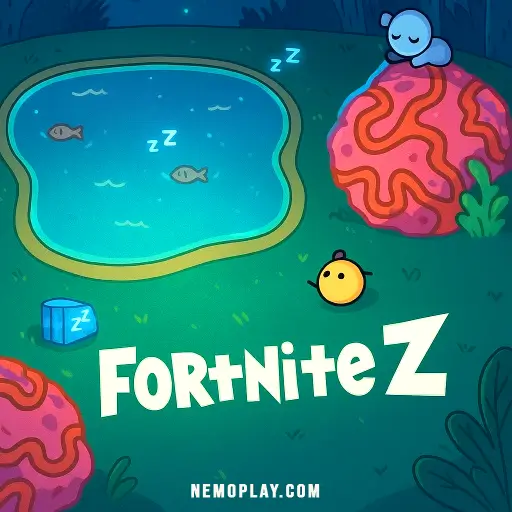
Fortnite Z
Fortnite Z












Fortnite Z
SharePlay Fortnite Z online for free and jump into an exciting world of adventure! Team up with friends or go solo as you explore colorful landscapes, build amazing structures, and battle fun characters. Use your skills to outsmart opponents and be the last one standing. With cool weapons and awesome challenges, every game is a new adventure waiting for you. Are you ready to join the fun and show everyone what you can do? Let’s get started!
About Fortnite Z
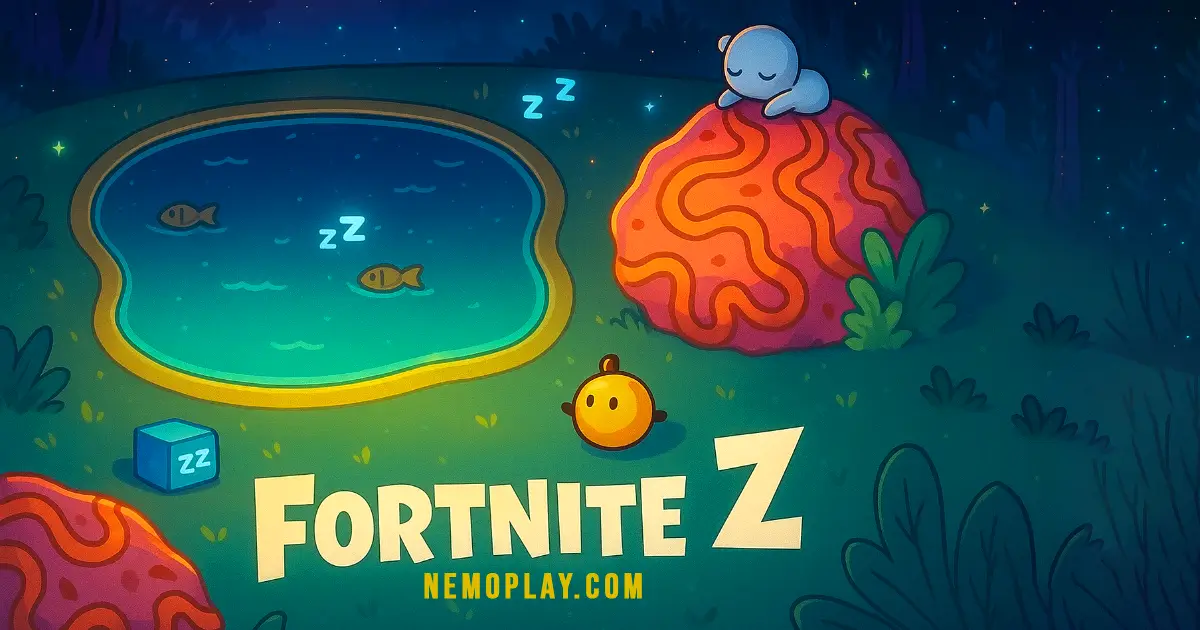
Welcome to the exciting world of Fortnite Z! Created by a passionate developer, this game was released in 2020 and has quickly become a favorite among players. Get ready to jump into thrilling battles, explore vast islands, and show off your unique skins and gliders!
In Fortnite Z, you can choose from three fun game modes: Battle, Exploration, and Online Playground. In Battle mode, compete against 25 players (bots) to be the last one standing while gathering items and avoiding the storm. Exploration mode lets you roam freely without any opponents, so you can experiment and have fun. The Online Playground allows you to interact with friends and other players in a cloud multiplayer setting.
As you play, you can collect Zaps-Coins to buy cool skins and gliders in the shop. Remember to save your progress using the Save+Load buttons so you can pick up right where you left off! With exciting updates and a vibrant community, Fortnite Z is sure to keep you entertained for hours. Join the adventure today!
Fortnite Z Gameplay
In Fortnite Z, players collect items and try to be the last one standing! You can move around using the WASD keys or arrow keys, while your mouse helps you look around and spot enemies or treasures. When you’re ready to take action, simply click or hit the spacebar to shoot, use items, or eat food to regain health.
As you explore the vibrant island, you’ll need to pick up items using the ‘E’ key and can even drop unwanted gear with ‘Q’. Building structures is a key part of strategy; press ‘F’ to construct defenses or create vantage points. Switching between your collected items is easy with the number keys from 1 to 6, allowing you to adapt quickly in battle.
Feeling playful? Use the ‘Z’ key for emotes when playing online with friends! If you find yourself stuck against a wall, just press ‘B’ to get unstuck. When you’re ready to leave a game mode, hit ‘L’.
The game features three exciting modes: Battle, Exploration, and Online Playground. In Battle mode, you’ll face off against 25 players (bots) in a thrilling showdown where gathering items and fighting is essential to survival. Exploration mode allows you to roam freely without any opponents or storms, so you can experiment with building and item usage. Finally, the Online Playground lets you connect with friends in a cloud multiplayer setting where you can showcase your cool skins and gliders.
Don’t forget to check out your stats in the Lobby, customize your character, and shop for awesome skins and gliders using Zaps-Coins earned from playing well. Remember to save your progress anytime using the Save+Load buttons!
Platform
You can play this game directly in your web browser on desktop, laptop, tablet, or mobile. Fortnite Z offers a seamless gaming experience across all devices.
How to play Fortnite Z?
Get ready for an exciting adventure! In this game, your goal is to collect items, build structures, and be the last player standing. Here’s how to jump into the action:
- Start by choosing a game mode: Battle, Exploration, or Online Playground.
- In Battle mode, drop onto the island, gather supplies, and fight against other players or bots.
- Use Exploration mode to freely explore the island without any enemies. It’s a great way to practice and have fun!
- In Online Playground, you can play with friends and other players while showing off your cool skins and gliders.
- Collect items like weapons and health packs to help you survive.
- Build structures to protect yourself or reach higher places. Use your creativity!
- Keep an eye on the storm! Stay inside the safe zone to avoid getting caught.
- Don’t forget to use emotes to express yourself and have fun with others!
Remember, practice makes perfect! Enjoy your time playing and good luck!
Controls
Master the gameplay with the following controls:
- Movement:
- WASD/Arrows – Move 移動
- Mouse – Look Around 見回す
- Combat and Interaction:
- Click/Space – Shoot, Use Item, Eat クリック・アタック、使う
- E – Pick up, Interact 拾う
- Q – Drop 捨てる
- F – Build 建てる
- Item Management:
- 1,2,3,4,5,6 – Switch Item アイテムを変える
- Emotes and Miscellaneous:
- Z – Emotes (Online) ランダムな絵文字
- B – Get Unstuck from a wall! 当たり判定を直す
- L – Leave Modes 戻る
- Master Your Controls: Get comfortable with the WASD or arrow keys for movement. Practice looking around with your mouse to spot enemies and loot quickly.
- Use Emotes Wisely: Press Z to use emotes during online play. It’s a fun way to express yourself and can even distract opponents!
- Build Smart: Use the F key to build structures quickly. Create walls for cover, ramps to gain height, and forts to protect yourself during battles.
- Collect Resources: Always gather materials while exploring. You’ll need them for building when the action heats up!
- Choose Your Mode: Try out different game modes! Battle mode is great for competition, Exploration lets you practice without pressure, and Online Playground is perfect for having fun with friends.
- Save Your Progress: Don’t forget to save your game! Use the Save+Load buttons to keep your progress safe and secure.
- Stay Aware of the Storm: Keep an eye on the purple storm! Make sure you’re always moving towards the safe zone to avoid getting caught.
- Experiment with Items: Use the number keys (1-6) to switch between items. Try different combinations of weapons and tools to find what works best for you!
- Controls: Easy-to-use controls for movement and actions, including WASD or arrow keys to move, mouse to look around, and various keys for shooting, building, and interacting.
- Game Modes: Three different modes to choose from:
- Battle: Compete against 25 players in an offline match, gather items, and be the last one standing before the storm closes in.
- Exploration: A solo mode where players can explore the island without any opponents or storms.
- Online Playground: A multiplayer mode where players can interact and play with others using unique items.
- Lobby Features: In the lobby, players can check their stats, equip skins and gliders, and buy or sell items using Zaps-Coins earned from gameplay.
- Save Progress: Players can save and load their game data at any time using save codes.
- Emotes: Use emotes to express yourself online with a simple key press.
- Building Mechanics: Players can build structures during battles to gain an advantage.
- Unstuck Feature: A special key to help players get unstuck from walls during gameplay.
Utilize these controls effectively to enhance your experience in Fortnite Z and strive to be the last one standing!
Tips for Fortnite Z
Ready to conquer the battlefield and be the last one standing? Here are some awesome tips to help you succeed in your adventures!
With these tips in mind, you’re ready to jump into Fortnite Z and have an amazing time! Good luck out there!
Features of Fortnite Z
This game offers a variety of exciting features for players to enjoy:
This game is designed to provide a fun and engaging experience for all players!
Similar games to Fortnite Z
If you enjoy Fortnite Z, you might also like these exciting games that offer similar gameplay experiences:
FAQs about Fortnite Z
What is Fortnite Z?
Fortnite Z is an exciting game where you collect items and try to be the last one standing in various game modes!
How do I control my character?
You can move using WASD or the arrow keys, look around with your mouse, and perform actions like shooting and building with specific keys!
What are the different game modes?
There are three game modes: Battle, Exploration, and Online Playground, each offering unique experiences for players!
How do I earn Zaps-Coins?
You earn Zaps-Coins by playing well in battles, which you can use to buy skins and gliders in the shop!
Can I play with my friends?
Yes! In the Online Playground mode, you can mess around with other players and show off your cool skins and gliders!
What should I do if I get stuck in the game?
If you find yourself stuck against a wall, just press the ‘B’ key to get unstuck and keep playing!
How can I save my progress?
You can save your game progress anytime using the Save and Load buttons, so you won’t lose any of your hard-earned achievements!
What happens if I want to change my item?
You can easily switch between items using the number keys from 1 to 6 whenever you need to change what you’re using!
Is there a way to report bugs or give feedback?
Absolutely! You can leave comments with your questions or suggestions to help improve the game!
Can I explore without other players?
Yes! In Exploration mode, you can roam freely on the island without any other players or storms to worry about!
Where can I find more information about updates?
You can check out the game’s project page for news on updates, events, and more exciting features coming soon!
Conclusion
Fortnite Z is an exciting adventure that combines strategy, creativity, and fun! Kids can jump into thrilling battles, explore vast landscapes, and unleash their imagination in a vibrant world. Whether you’re teaming up with friends or going solo, the game offers endless opportunities to collect items, build structures, and be the last one standing!
So why wait? Play Fortnite Z today. Don’t forget to invite your friends to join in on the fun—after all, gaming is always better together! Happy gaming!